


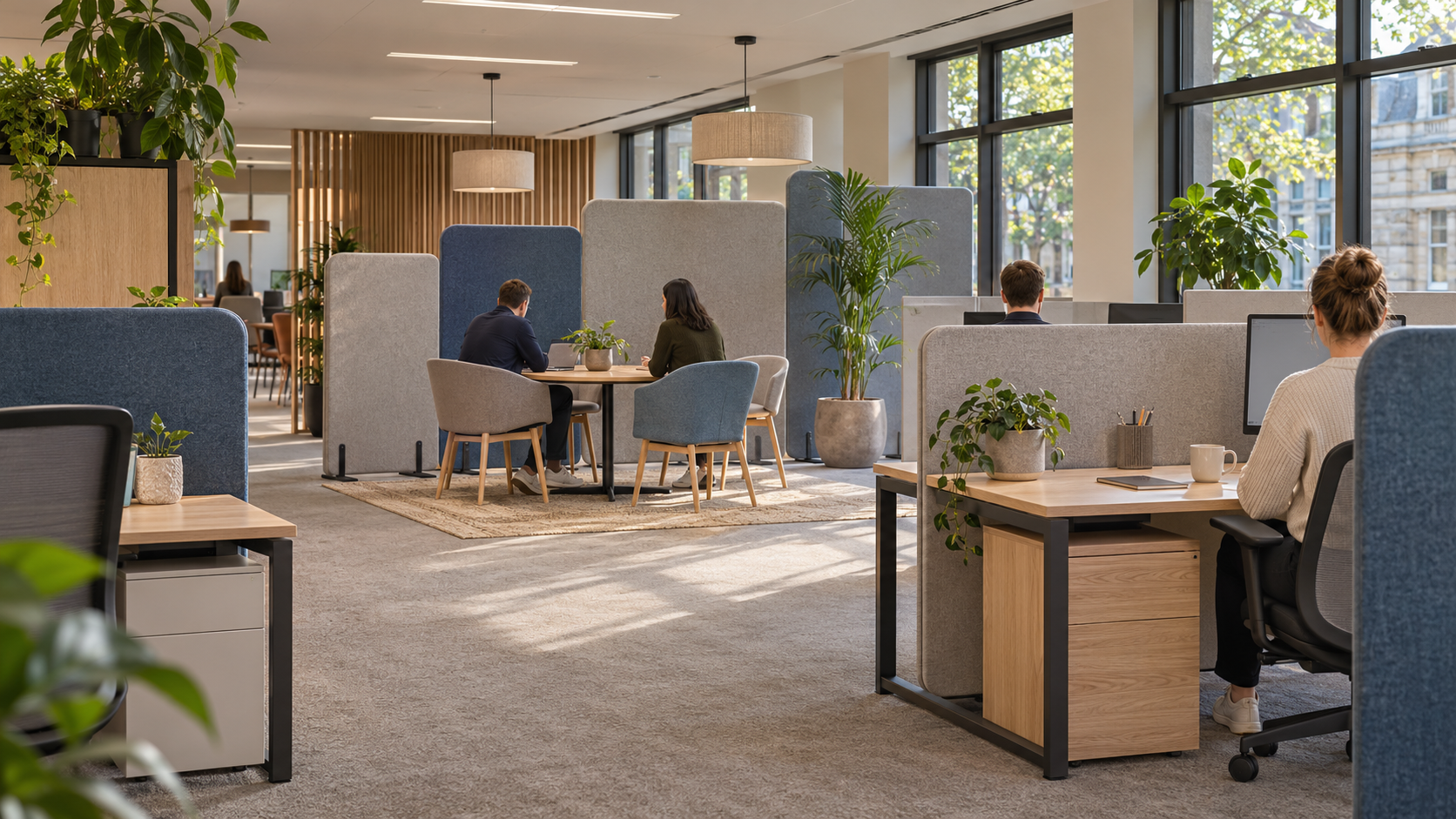
Collaboration and individual, uninterrupted work are both vital to an effective office environment, yet they can work against one another.
Open plan areas facilitate informal, ad hoc interactions, but allow distractions to creep in. Private rooms prevent these, but can inhibit those brief exchanges.
Divider screens can provide a compromise, allowing a greater degree of structure within the office, without needing significant works or refits to be undertaken. Selecting the appropriate divider screen to address each situation will maximise this benefit.
What You’ll Learn
-
Consider levels of privacy required
-
Improving office acoustics with divider screens
-
Allowing for smoother, less interrupted workflows
-
Which type of office divider screen to use in different locations
-
Best practice when siting your office divider screens
-
Conclusions
Consider levels of privacy required
It doesn’t have to be an entire office, simply preventing the person in the adjacent row of desks being able to see over your shoulder as you read something, is a step in the right direction.
Adding a low, desktop screen will break up this line of sight, allowing conversation with those at surrounding desks, whilst removing the unobstructed sightline to them.
A taller, floor-based screen will create a mini-boardroom, allow some privacy around a reception desk, or cordon off a task-specific zone from the flow of foot traffic around it.
The remainder of the team can gather round a communal, open-plan desk, with more private, screened areas available to undertake specific duties.
Whether that’s achieved via an acoustic screen, mobile divider, or similar, as seen here, is down to the space being created and its purpose (ECO Manufacturing Ltd).
Read also: Hybrid Work and the File-Sharing Problem: Keeping Teams on the Same Page
It should be noted, however, that if staff require a level of total privacy, e.g. for making/receiving phone calls, or dealing with sensitive data, they should be allocated appropriate space to facilitate this.
Improving office acoustics with divider screens
As well as volume, unwanted sound in the workplace can cause disruption, e.g. from colleagues talking in close proximity, regardless of their tone.
Indeed, according to research by Gensler & Delhom Acoustics (Oct 2026), 40% of respondents were regularly distracted by workplace noise, based on a sample size of 300+ in 11 locations worldwide.
Divider screens, specifically acoustic screens, can mitigate some of this, but how?
If constructed of sufficient density, a divider screen can act as a physical barrier, preventing sound travelling directly from a source to a listener, while an absorptive facing can reduce sound reflected toward the source.
It should be noted that this is not equivalent to ‘absorbing’ the sound, nor will it silence the office entirely, as it will continue to propagate beyond, under, and via reflections, around the screen. Depending on its height, some speech may still be discernible by the listener, particularly at closer ranges.
Divider screens, therefore, should be placed appropriately, to interrupt the direct sound path, ideally close to either the source or the listener. Dimensions, material and surface properties of the screen will also have a bearing on effectiveness.
Combinations of divider screens, private phone booths and additional sound absorption may be more beneficial, if there is frequent telephony, with the overall objective to reduce, rather than eliminate, office background noise.
Read also: Samsung’s Galaxy XR: A New Spark in the Mixed Reality Race
Allowing for smoother, less interrupted workflows
Employees should know, intuitively, where they should go, to conduct particular tasks, in order to run as smoothly and efficiently as possible.
For example, it would not be advisable, if all forms of collaborative, focused, desk-based, and group-based work was completed at one common location, such as a table, due to the level of interruption each may experience from the others.
Utilising divider screens, areas of the office can be delineated, facilitating collaboration, whilst creating zones for desk-based, uninterrupted work, as mentioned previously, to limit visual disturbances, amongst others.
This will allow employees, needing to converse, to do so away from key workstations, and aid efficiency, e.g. if writing documentation, and so forth, where interruption could prove costly.
If office layout frequently changes, e.g. to accommodate events, group discussions, increased numbers, etc, mobile divider screens can be reconfigured to suit, avoiding the need to relocate the office, or reorganise, every time a change occurs.
Divider screens should, therefore, avoid splitting groups, where they will require communication, but instead, isolate the various working environments, to ensure minimal cross-disturbance, and create an effective reason to use them.
Which type of office divider screen to use in different locations
Depending on the task, not all divider screens will require similar dimensions, thickness, or properties, e.g. whether an acoustic screen, or simply providing a line-of-sight barrier.
Depending on application, some types of screen are more suited than others, as follows:
-
Desk-mounted screens: if separating workstations, whilst enabling continued proximity to co-workers, e.g. banks of desks
-
Floor divider screens: to cordon off, or compartmentalise, areas of an office, including from any circulation, and create meeting points
-
Acoustic divider screens: to reduce unwanted noise, i.e. speech, reflection, etc, taking note of the type(s) of attenuation measured, if quoted
-
Mobile divider screens: suitable for, e.g., classrooms, ad hoc meetings, and offices, which host varying uses, e.g. on different days
Additionally, consider the material, such as fabric, glazing, or other, which may impact the office’s appearance, and allow a greater, or lesser, degree of transparency, but not necessarily increase acoustic performance.
Read also: Walmart Says AI Can Personalize Shopping — Not Prices
The everyday usage, ease of maintenance, portability, rigidity, and connections between screens, if relevant, should all be taken into consideration, prior to purchasing.
Best practice when siting your office divider screens
Investing in divider screens, prior to evaluating current working patterns, risks wasting expenditure on a potentially unnecessary solution, or, sub-optimal, placement of said screens.
Observe current flows, interactions, and movements, over the course of a representative working period, to identify hot spots, e.g. for calls, footfall, desk work, etc, and establish, step-by-step, how to address:
-
Problem areas, caused by, e.g., transit, speech, movement, and interaction with communal equipment
-
What form of screening is desirable, i.e. visual, acoustic, separation of activities, etc
-
Trial, if possible, positions, and gauge feedback from staff, to ensure reasonable comfort, and usability, when implementing
-
Check that screens do not block circulation, emergency routes, lighting or essential sightlines before finalising
It is important, as previously stated, to consider the propagation of sound, over, under, and beyond, divider screens, if using these for acoustic benefit, particularly where there may be reflective surfaces, to negate, or diminish, the effect of the screen.
Further, it is worth considering user requirements, and experimenting, to ascertain, whether, e.g., line of sight, and/or, privacy, is preferred, prior to committing to a large quantity.
Revisit, once in-situ, and following a representative working period, to confirm optimal usage, and operation, of the installed screens.
Conclusions
Office divider screens can be used to great effect, to address multiple issues, from providing privacy, aiding office acoustics, and creating areas, for varied forms of work, to take place, with reduced interruption, to name a few.
By ensuring that the correct height, material, and, most importantly, placement, of the screen, is employed, to satisfy its desired function, divider screens can improve working conditions, with minimal obstruction, and inconvenience, to users, of an office environment.
Some simple consideration, when siting, and selecting, divider screens, can go a long way to achieving the above.






Comments
No comments yet — be the first to share your thoughts.