


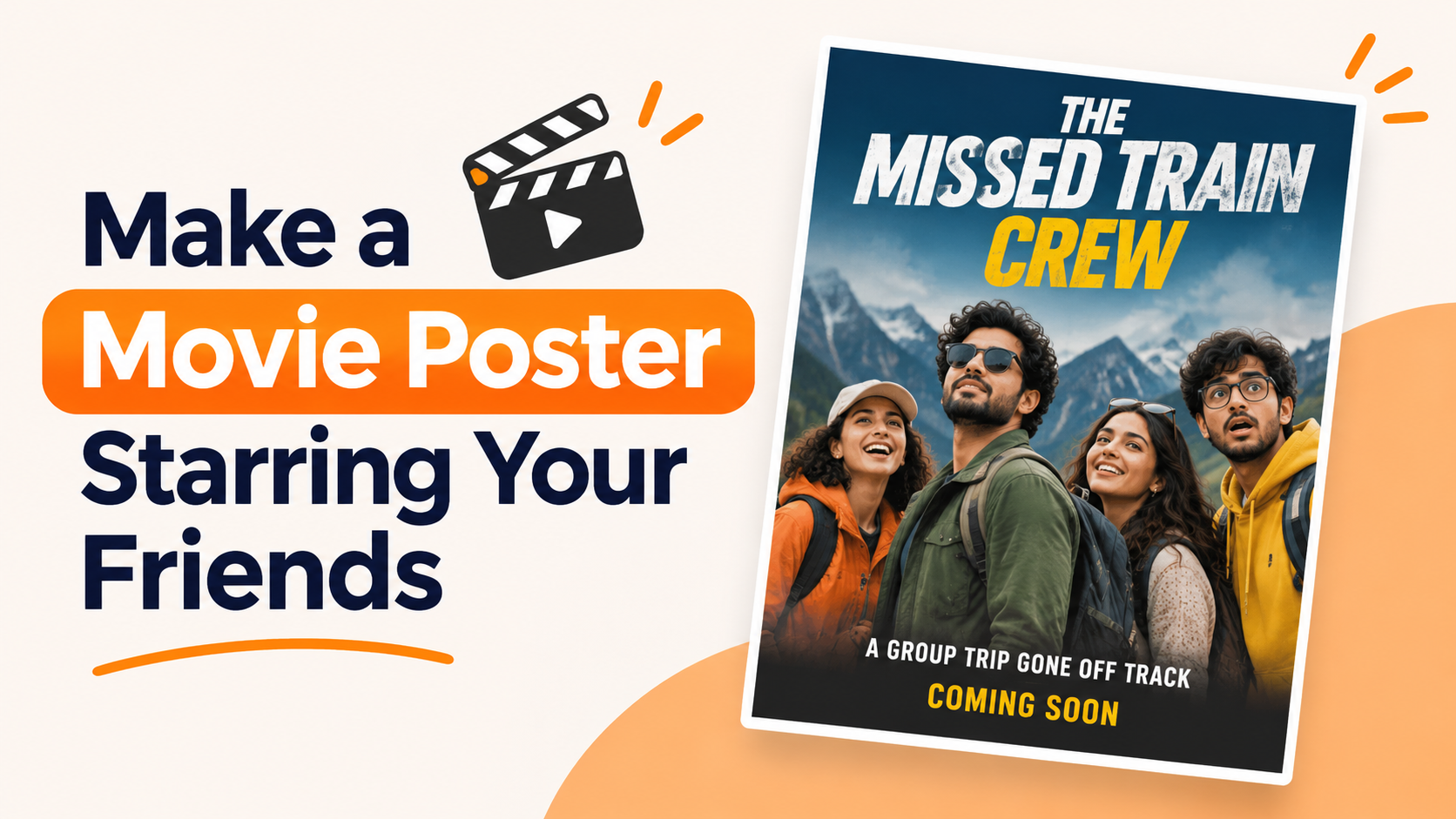
Every friend group has a story that deserves its own movie poster. Maybe someone turned a five-minute coffee run into a three-hour adventure. Maybe your group holiday involved a lost suitcase, a missed train, and one person insisting everything was fine. Giving those moments dramatic treatment makes them even better.
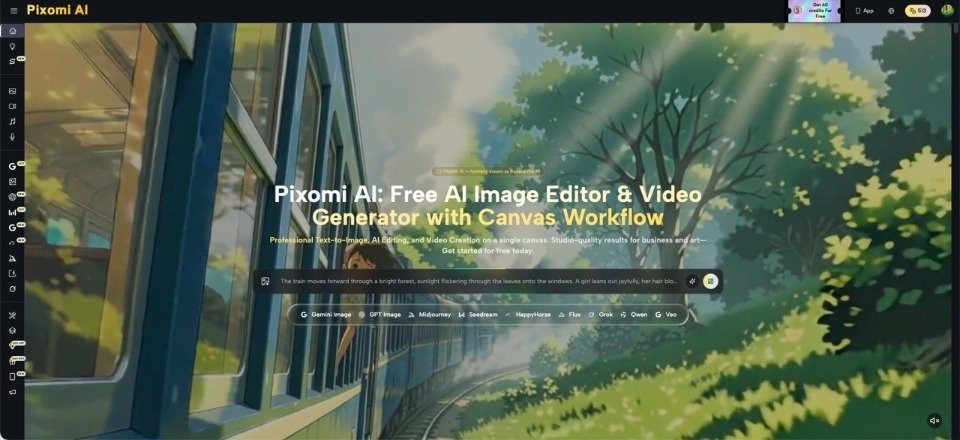
You don't need a professional photo shoot to make the joke work. A few faces and a clear movie genre are enough to start. An image creation platform such as Banana Pro AI offers text-to-image generation and image-to-image editing, useful when you want to invent a scene or rework a photograph you already have. The trick is choosing details your friends will recognize immediately. Here's how to build a poster that gets shared for the right reasons.
Find the Joke Before You Pick the Art Style
Begin with one incident, than trying to squeeze your group's entire history into a single design. A poster about the associate who always arrives late needs a varied mood from one about the person who takes board games too seriously.
Give the imaginary film a clear premise: three friends attempting to reach a concert before the doors close, for example. Decide whether the poster should look like an action thriller, a romantic comedy, or an absurd disaster film. Those choices shape the expressions, lighting, and background.
Try the title aloud. "The Last Train Home" sounds suitably dramatic for a missed connection. "Mission: Find the Charger" works for a weekend trip where everybody forgot their cables. Keep any subtitle short enough to read on a phone.
Explain the concept in one sentence to someone outside the group. If they understand the movie genre, the visual thought is probably clear. Your friends will supply the inside joke themselves.
Read also: Best Gaming Laptops with RTX 5070 GPU for Elite Performance in 2026
Build the Poster in Three Manageable Passes
A good poster starts with a strong picture. Treat the image, the cast arrangement, and the lettering as separate decisions so one problem doesn't force you to redo everything.
1. Pick a Scene That Tells the Story
For an imaginary heist movie, place the group outside a convenience store in the rain, looking suspiciously serious. For a holiday comedy, try a windswept station platform with luggage everywhere. Describe the location, time of day, camera distance, and mood.
If you've a suitable group photo, use image-to-image editing as a starting point. Ask for an altered atmosphere while keeping important faces and clothing recognizable. If you've no photo, a text prompt can establish the scene, and you can treat the result as fictional artwork instead of a literal portrait.
2. Make the Cast Discern Like a Team
Think about where each person belongs in the composition. The unofficial group leader might stand in front; the confidant responsible for the chaos might appear behind, holding the offending object. Distinctive poses make a poster easier to understand than five identical serious faces.
Give the image room around the characters. Empty space near the top helps with a title, while a quieter lower area leaves room for a tagline. When reviewing a draft, check hands, facial details, and whether anyone appears duplicated or missing. Fix the image before arranging text.
3. Add the Words After the Image Works
Put the film title, a short tagline. An invented release date into your usual design editor. Keeping the final typography separate gives you direct control over spelling, alignment, and readable size.
Use one large title and no more than a couple of smaller lines. A joke that needs a paragraph of explanation will disappear in a busy social feed. Test the finished poster at the size of a messaging-app preview. If the title is still legible and the main joke survives, you've enough detail.
Give Each Friend a Recognizable Role
The most entertaining posters often borrow the visual language of familiar genres while using details only your group knows. Your punctual friend becomes "the planner." The associate who always loses things becomes "the wildcard." Someone who brings snacks to every outing gets an unexpectedly heroic role.
Read also: AI Video Generator Transitions Should Preserve Screen Direction
These roles can appear through props and expressions than captions. A carefully protected takeaway coffee tells a story. So does a map held upside down. Asking for recognizable actions works better than describing a person's personality with vague labels such as "funny" or "chaotic."
For a birthday surprise, make the birthday person the lead and give everyone else a supporting part. For a reunion, use the first café where you all met. The scene then feels personal without needing a complicated backstory.
For crowded photos, focus on two or three main characters and place others behind them. That's a design choice, not a ranking of your friendships.
Fix the Details That Usually Spoil the Joke
The biggest problem is often a mismatch between the genre and the actual gag. A deeply serious science-fiction scene may glance impressive, yet tell nobody why it represents your weekend. Add one specific clue: a takeaway bag, an umbrella turned inside out, or the missing train visible in the distance.
When editing an existing image with Nano Banana Pro through Pixomi's image-generation tools, describe the elements you want to preserve and the changes. For example: "Keep the three friends standing in the same order. Turn the background into a stormy railway platform. Give the scene a dramatic comedy-poster mood." Check the output against the original, especially where preserving likeness matters.
Avoid cramming in too many visual references from real films. An original color scheme and your own fictional title make the joke feel like yours. If a generated version is cluttered, simplify the prompt by removing extra props than adding more adjectives.
Finally, view the poster on a small screen. A design that works at full size may lose its punch when reduced to a thumbnail.
Read also: Can You Still Bypass Motorola FRP via Fastboot Commands?
Share It Without Making Anyone Uncomfortable
A poster featuring recognizable people is more fun when everyone is in on the joke. Ask permission before uploading a friend's picture to an AI service or posting an altered portrait publicly. A private group-chat surprise is distinct from putting the same image on an open account.
Pick jokes about shared situations, not someone's appearance, insecurity, or personal circumstances. If a comrade dislikes the result, change it. Revising a poster is easier than repairing an awkward conversation.
You should also make the fictional nature of the artwork clear when sharing it beyond your friends. A movie-like design could be mistaken for a real announcement if the title and context are vague. A simple caption such as "Our weekend, apparently directed by Hollywood" signals the joke.
Consider sharing two versions: a clean poster for the group chat and a second one with a birthday greeting or event date. Save the original image as well, so future edits don't need recreating the whole scene.
Conclusion
A memorable friend-group movie poster begins with a story people already laugh about. Pick one incident, select a genre that exaggerates it, and build a visual scene with a few unmistakable details. Then give the characters a clear arrangement and add easy, readable lettering.
The final checks matter as much as the creative notion. Peek for odd facial details, crowded composition, and jokes that need too much explanation. Get permission from anyone whose picture you use, and make it obvious that the film is imaginary. If the result earns a laugh in your group chat, you've achieved exactly what the poster was made for. Keep the original photographs and final design together for future birthday editions. Spark with the funniest story from your last outing and give it a title worth remembering.

Comments
No comments yet — be the first to share your thoughts.