


Paper invoices create delays between finishing a field service job and collecting the money owed. Forms can sit in a technician’s vehicle, reach the office with missing details, or require several follow-up calls before a customer pays. Digital invoicing and mobile payment tools remove those delays, giving field teams a faster and more accurate way to close each job.
The Danger of Trailing Invoices
An unpaid invoice becomes harder to collect as the service date fades from the customer’s memory. If a technician completes a $450 repair on Monday but the office sends the bill on Friday, the customer may have questions that could have been resolved at the property. Even minor confusion can delay payment for another week.
Paper also creates physical risks. Documents can get lost, damaged or mixed with paperwork from another appointment. A structured paperless field service playbook can help businesses replace these weak points with a consistent digital process. Set a firm rule that technicians must complete the job record, confirm the charges and submit the invoice before leaving the site.
Read also: How to Decide Between Repairing and Replacing Household Fixtures
Close Accounts Right at the Doorstep
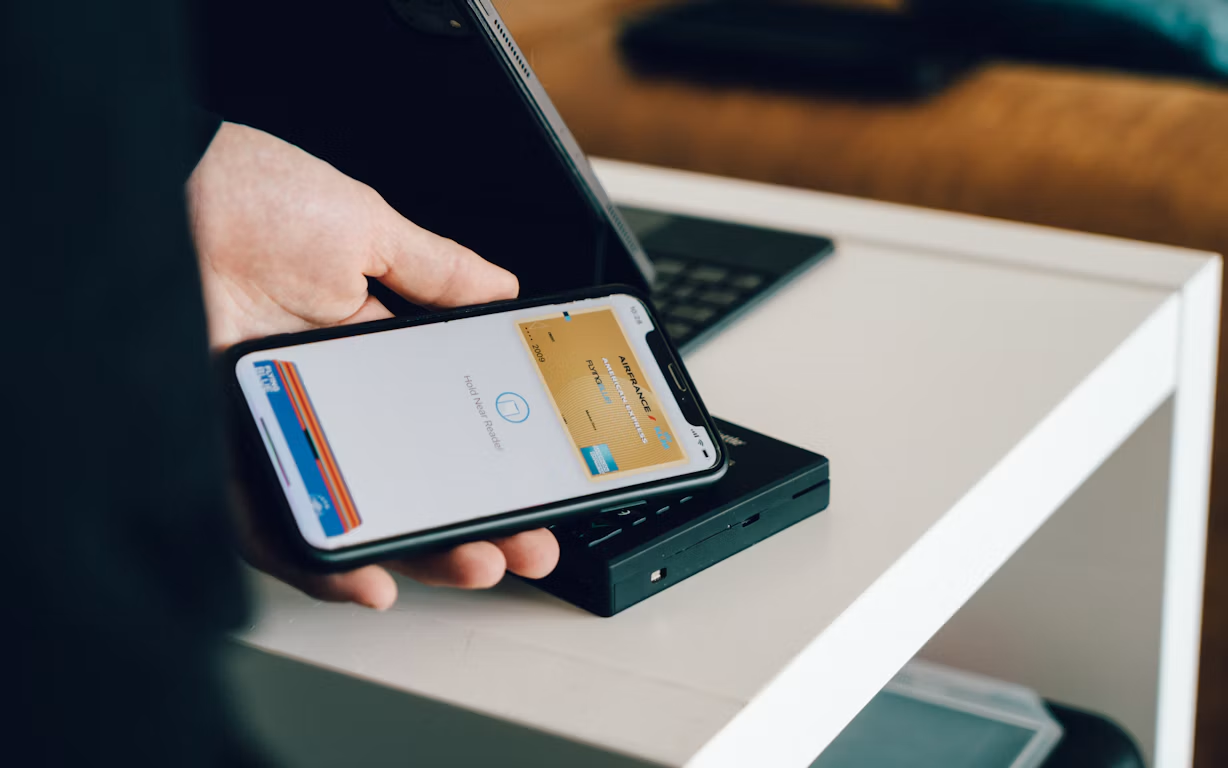
Give technicians the tools to review charges and accept payment while the completed work is still visible. A customer can approve the final total, choose a supported payment method and settle the account in a few minutes. This approach shortens the billing cycle and reduces the amount of time office staff spend chasing outstanding balances.
A wireless credit card machine can support mobile teams that need to accept contactless payments, chip cards or PIN debit at customer locations. Before issuing devices, establish clear procedures for confirming totals, handling declined transactions and recording payment status. Technicians should also explain each charge before presenting the payment screen so customers know exactly what they’re approving. Choosing suitable equipment also requires understanding card machine features and payment compatibility, particularly when teams need to support multiple payment methods and deliver receipts electronically.
Read also: Company Maternity Cover vs Personal Pregnancy Insurance: Do You Need Both?
Eliminate Manual Data Entry Errors
Entering handwritten invoices into accounting software creates another opportunity for mistakes. A rushed employee might type $1,560 instead of $1,650, assign a payment to the wrong customer or overlook a technician’s note about an added part. Correcting these errors takes time and may lead to an awkward conversation with the customer.
Digital field service invoicing software can connect job information with the billing process, reducing repeated entry. Use required fields for labor, materials, taxes and customer approval. Standard service codes can also keep descriptions and prices consistent. Managers should review exception reports for unusual discounts, incomplete records or invoices that remain open after a visit. These checks focus attention on genuine problems instead of forcing staff to compare every paper form against a second system.
Build Trust with Instant Digital Receipts
Send a receipt as soon as payment is approved. The message should show the service date, work completed, individual charges, total paid and payment method. Include the company’s contact details and any applicable warranty or follow-up information so the customer doesn’t have to search for another document later.
Read also: Character Consistency Across Four Reference Social Stills
Ask the customer to confirm an email address or mobile number before sending the receipt. This quick check prevents delivery errors and protects personal information. If the customer prefers a printed copy, your process can still accommodate that request without making paper the default.
Instant receipts also help when questions arise months later. A searchable digital record gives the customer and service office the same reference point. Once the final payment and receipt appear in the job record, the technician can leave knowing the account is closed and the office won’t need to reconstruct the visit from handwritten notes.





Comments
No comments yet — be the first to share your thoughts.